Docs
How PLUG works
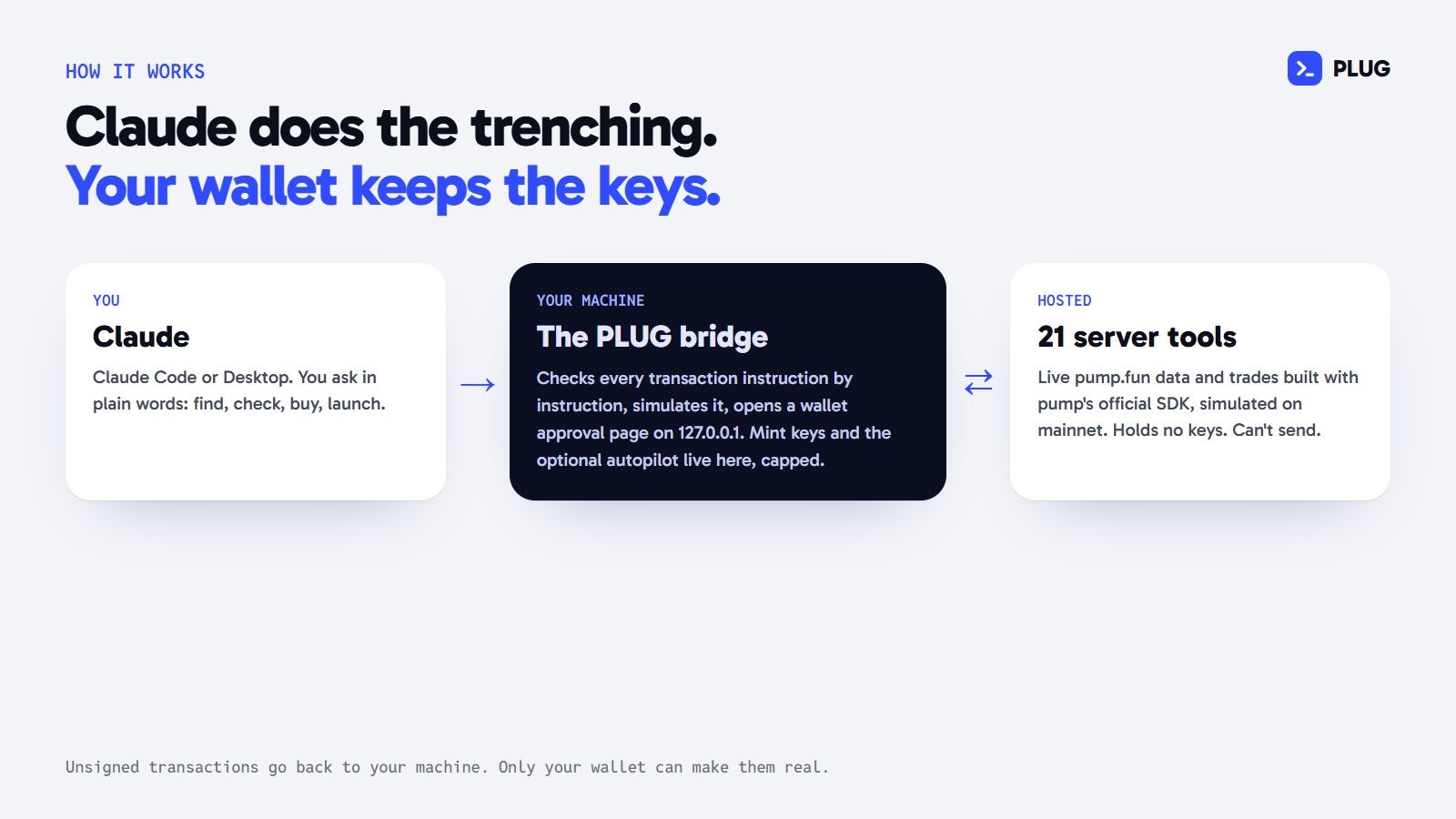
PLUG is an MCP server that gives Claude the whole pump.fun loop: find coins, check them, launch, buy, sell, snipe, track PnL and claim fees. 27 tools, split between a hosted server and a small bridge that runs on your machine. This page is the full technical walk-through.
Two halves, on purpose
The hosted server (21 tools) reads live pump.fun data and builds transactions. It runs as a stateless MCP endpoint (Streamable HTTP, JSON responses) on serverless functions, using the official @modelcontextprotocol/sdk. It holds no wallet keys and has no code path that sends a transaction. Everything it builds comes back unsigned.
The local bridge (6 tools) is an MCP server that runs on your machine over stdio. It lists the hosted tools live (so new server tools reach you without reinstalling) and adds the parts that must stay local: signing in your browser wallet, an optional capped autopilot key, mint keys for launches, uploading an image file, and a live sniper. It is about 600 lines of plain JavaScript with two dependencies, @modelcontextprotocol/sdk and @solana/web3.js, locked by an npm-shrinkwrap.json so the dependency tree you install is the one we tested.
Keys never cross the line between the two. The server only ever sees public addresses.
Install
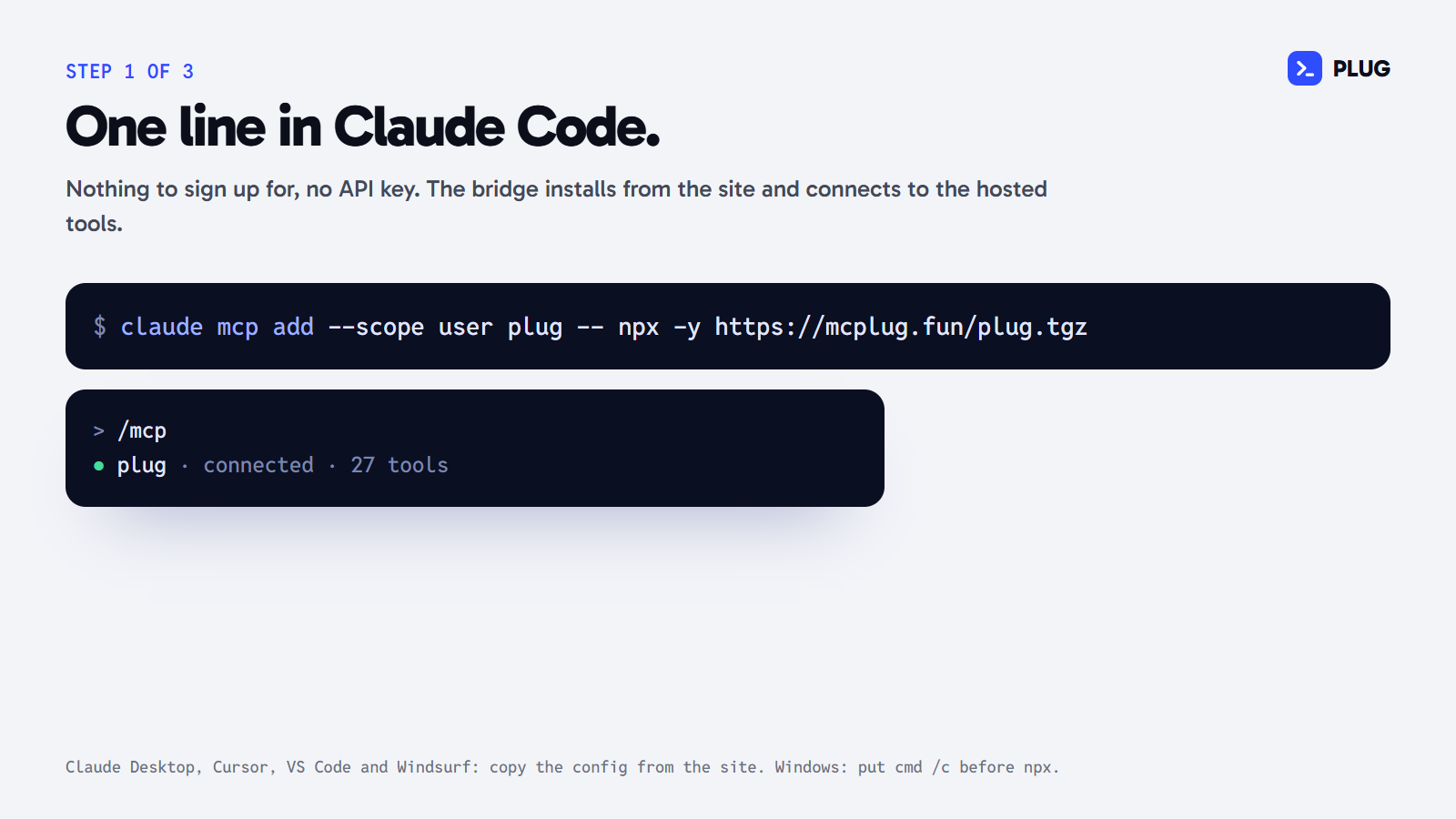
claude mcp add --scope user plug -- npx -y https://mcplug.fun/plug.tgzThen /mcp in Claude Code shows plug connected. On Windows, put cmd /c before npx. Claude Desktop, Cursor, VS Code and Windsurf take the same command in their MCP config (the install builder on the home page writes it for each). Clients that only speak remote MCP can use the hosted endpoint directly: https://mcplug.fun/api/mcp. Every tool works there; trades come back unsigned for you to sign elsewhere.
Verify the bridge you install: the SHA-256 of plug.tgz is 74697551279027deb1884ccdbda268eed9f0c6b97ab9b04513ac5fd8373adc79.
The tools
Find
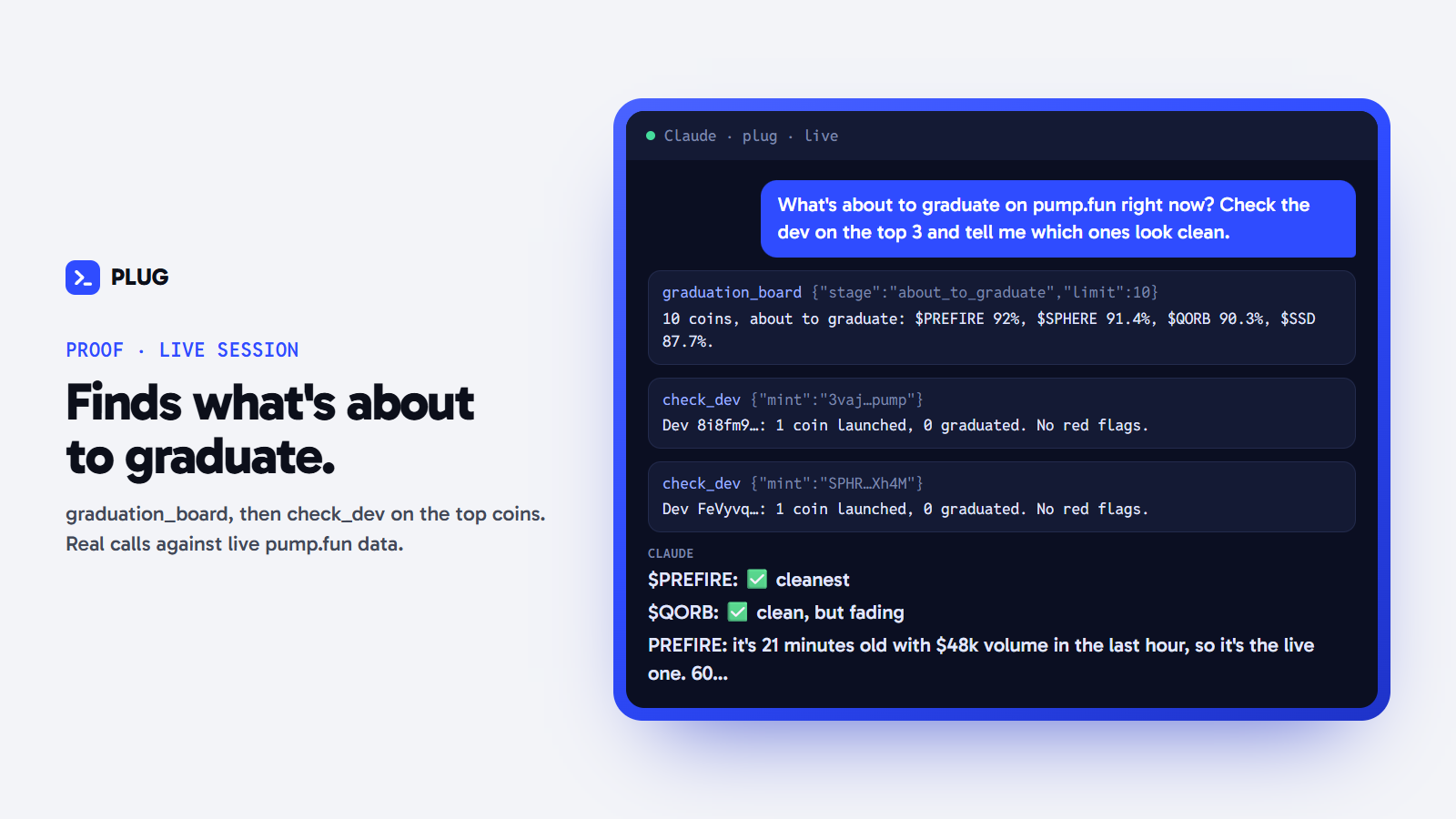
trending_coinspump.fun coins trending right now, ranked by Jupiter (pump.fun launches only), with cap, 24h volume and holders.new_coinsCoins launching on pump.fun right now, streamed live for a few seconds, with each creator's dev buy.search_coinsFind pump.fun coins by name, ticker or address, biggest first, with cap, holders, 1h move and age.graduation_boardpump.fun's live board: coins about to graduate (highest bonding-curve progress first), brand new ones, or just graduated. Each with cap, holders, volume, pair and the dev's launch count.
Check
get_coinPrice, market cap, liquidity, holders, 24h volume, bonding-curve progress or its PumpSwap pool, and the safety basics (mint and freeze authority, top-holder share).get_holdersThe largest holders of a coin with their share of supply. pump's own curve and pool accounts are named and left out of the totals.quoteWhat a buy or sell would get right now, simulated on mainnet against the live curve or pool. No wallet needed for buys.candlesOHLC price candles in USD for any coin (1m to 1d), with the move, high and low over the range.trade_flowThe latest trades on a coin rolled up: buy vs sell volume, net flow, biggest buyers and sellers, tagged wallets (insiders, influencers) and MEV.check_devWho launched the coin and their record: how many coins they've launched, how many graduated, what they still hold, whether they've been selling, and the mint/freeze authority. Ends with plain flags.check_bundleWho really holds the coin: top-100 holders grouped by the wallet that funded them (bundles), sniper and insider tags, and for young coins what the first-30-second buyers still hold. Ends with plain flags.watch_coinWait up to 50 s for a coin to hit a price, market cap or bonding-curve level, checking every 4 s. Returns as soon as it's met, or the latest reading. Call it again to keep watching.
Wallet
get_walletA wallet's SOL balance and every coin it holds, valued at the live price, biggest bag first.pnlA wallet's trading PnL over the last N days, per coin and in total: SOL in, SOL out, what's still held at today's price, wins and losses, best and worst trades.trade_historyA wallet's recent buys and sells (pump.fun, PumpSwap and other venues): coin, side, tokens, SOL, venue and signature, newest first. Optionally one coin only.creator_feesUnclaimed pump.fun creator fees for a creator wallet, across the bonding curve and PumpSwap.
Trade
buyBuild a buy. First call: mainnet simulation and a confirm code. Second call with the code: the unsigned transaction for your wallet. Capped by max_sol in your endpoint URL.sellBuild a sell of part or all of a bag. Same flow as buy: simulation and a confirm code, then the unsigned transaction.
Launch
launch_coinLaunch a pump.fun coin: create and dev buy in one transaction. You make the mint keypair locally and pass only its public key; the transaction comes back for your wallet and that keypair to sign.set_fee_splitSplit a coin's creator fees between up to 10 wallets with pump's own fee sharing (percentages adding up to 100). The creator signs. Pump allows one split per coin, so the preview shows it before anything is built.claim_creator_feesBuild the claim of a creator wallet's pump.fun fees (curve and PumpSwap). Simulation and a confirm code, then the unsigned transaction.
Your machine
sign_and_sendSign an unsigned transaction from a write tool and send it. Opens a local page where the user approves it in their browser wallet (Phantom, Solflare, Backpack), or signs with the autopilot keypair when one is set (hard SOL caps per trade and per day). Waits for it to land and returns the signature.new_mint_keypairMake a fresh mint keypair for launch_coin on this machine and keep it in the bridge's key folder. Returns only the public key. Optional suffix grinds a vanity address (1-3 characters; 'pump'-style 4 takes minutes).my_walletThe wallet this bridge signs with: the autopilot keypair's address and caps if one is set, otherwise the last browser wallet that approved something here.tx_statusWhether a transaction landed: confirmed, finalized, failed (with the error) or not found yet. Give the signature, or the approval_url sign_and_send returned while it was still waiting.upload_imageUpload an image file from this machine for launch_coin (PNG, JPEG or GIF, up to 1.5 MB). Location, camera and editor metadata are stripped before it's stored. Returns the image_url to pass to launch_coin.snipeWatch pump.fun launches live for up to 5 minutes and buy the ones that match (name or ticker contains, dev buy range). Buys go through the hosted buy tool (simulated) and the autopilot keypair, inside its per-trade and daily caps; SOL-paired coins only. Without an autopilot it reports the matches instead.
Where the data comes from
- The chain itself for bonding-curve state, PumpSwap pools, creator vaults and every simulation (a keyed Solana RPC on the server).
- Jupiter's public data for token cards (price, cap, holders, the dev's launch record, mint and freeze authority), the holder index with each holder's funding wallet and tags, the trade feed, price candles and pump.fun's live board (about to graduate, new, graduated).
- PumpPortal's public feed for launches as they happen (
new_coinson the server,snipein the bridge). - Parsed transaction history from the RPC provider for
pnlandtrade_history.
How a trade is built
buy and sell pick the route from the coin's state on chain. A coin still on its bonding curve trades through pump's curve program with the SDK's buyInstructions / sellInstructions. A graduated coin trades in its canonical PumpSwap pool with buyQuoteInput / sellBaseInput. Every transaction is built with pump's official @pump-fun/pump-sdk, never by a third-party API whose bytes you'd be trusting blind.
Paired coins. pump.fun curves can be quoted in another token: USDC, a tokenized stock like TSLAx, or another pump coin. About one in four coins on the board tonight was paired. Those trade through pump's v3 instructions (buyExactQuoteInV3Instructions, sellV3Instructions) in the pair token. Because the SDK's price helper can be off on some pairs, PLUG builds them in two passes: simulate with no minimum, read the real fill from the simulated token account, then build the final transaction with that fill as the slippage reference. The spend cap converts the pair token to its SOL value.
Simulate first. Every write runs simulateTransaction against current mainnet state before anything is returned (signature checks off, so any wallet can be simulated). What you see in a preview, tokens out, SOL back, your share of supply, is read from the simulated accounts, not estimated. A transaction that fails in simulation is never built.
Previews and confirm codes
A write tool always answers twice. The first call returns a preview and a confirm code. The code is an HMAC-SHA256 over the tool name, the exact canonical arguments and an expiry two minutes out, signed with a server secret. Only a second call with the same arguments and that code returns the unsigned transaction. Change one argument and the code is refused (compared in constant time). It forces Claude to show you what it's about to do before it can build it.
Signing on your machine
sign_and_send takes the unsigned transaction and does three things before anything can be signed:
- Program check. Every instruction must call one of the programs a pump.fun trade, launch or claim uses: pump's curve, PumpSwap and fee programs, SPL Token and Token-2022, the associated-token program, token metadata, System, Compute Budget, Memo, and Lighthouse (Phantom adds it). Address lookup tables are refused.
- Instruction check. System is allowed only to create accounts and transfer; the payer can't be reassigned. Top-level token instructions are limited to account setup, SyncNative and closing an account into the payer itself. Token transfers, approvals and authority changes outside pump's own programs are refused. The test suite builds five drain attempts by hand and checks each one is refused.
- Simulation. It runs again, and the SOL leaving the payer (fees included) is shown on the approval page and counted against the autopilot caps.
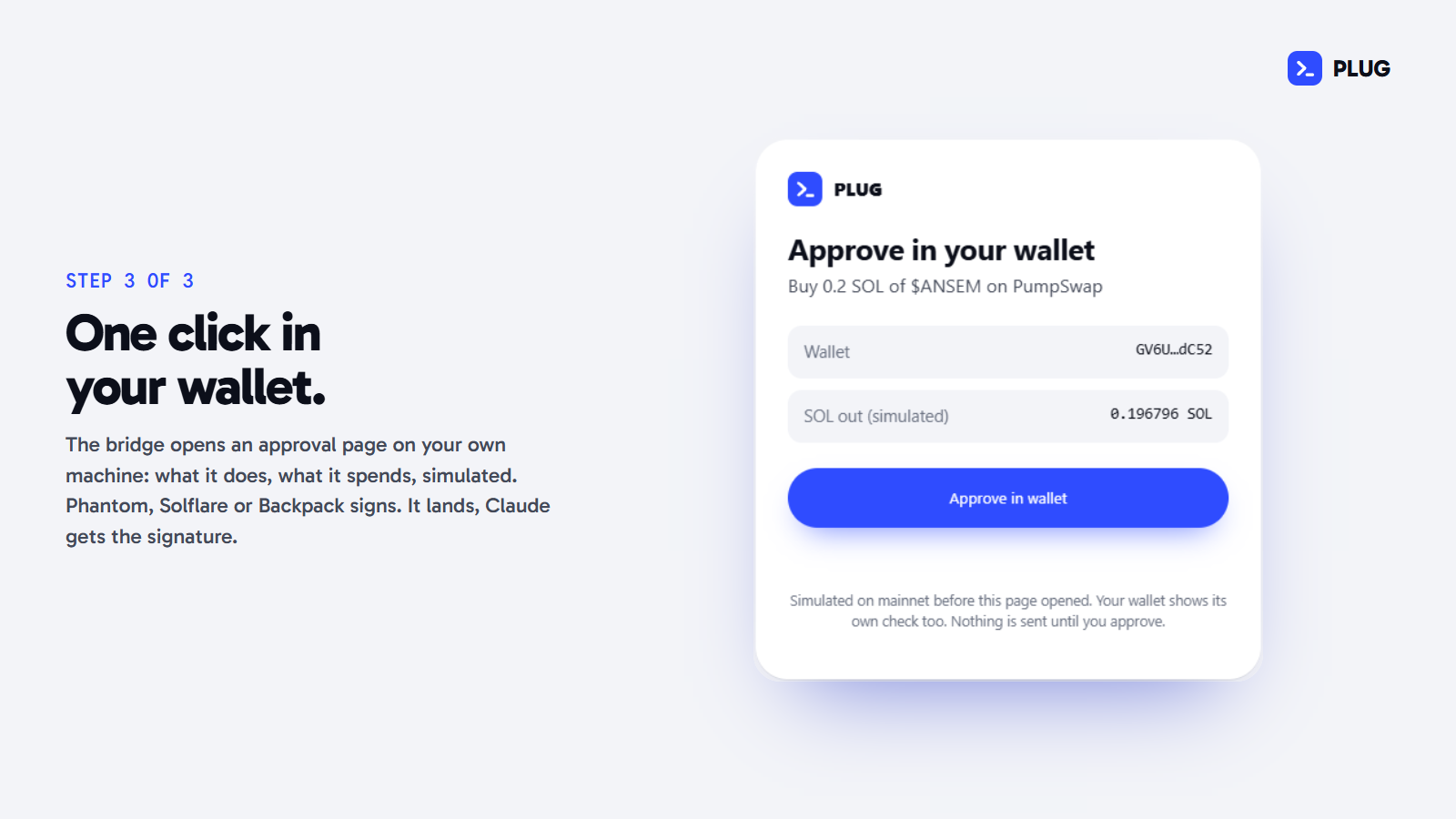
Then it opens an approval page on 127.0.0.1: a random port, a per-session token in the URL, a Host check against DNS rebinding, a strict content policy and no outside scripts. Your wallet extension (Phantom, Solflare, Backpack) signs; the bridge adds the mint key's signature for launches, sends it to the network, waits for confirmation and hands Claude the signature.
Autopilot is opt-in: point PLUG_KEYPAIR at a wallet file and the bridge signs without asking, but only up to PLUG_AUTO_MAX_SOL per transaction (default 0.25) and PLUG_AUTO_DAY_SOL per rolling 24 hours (default 1), measured from the simulation. It's meant for a wallet holding only what you'd let an agent spend.
Launching a coin
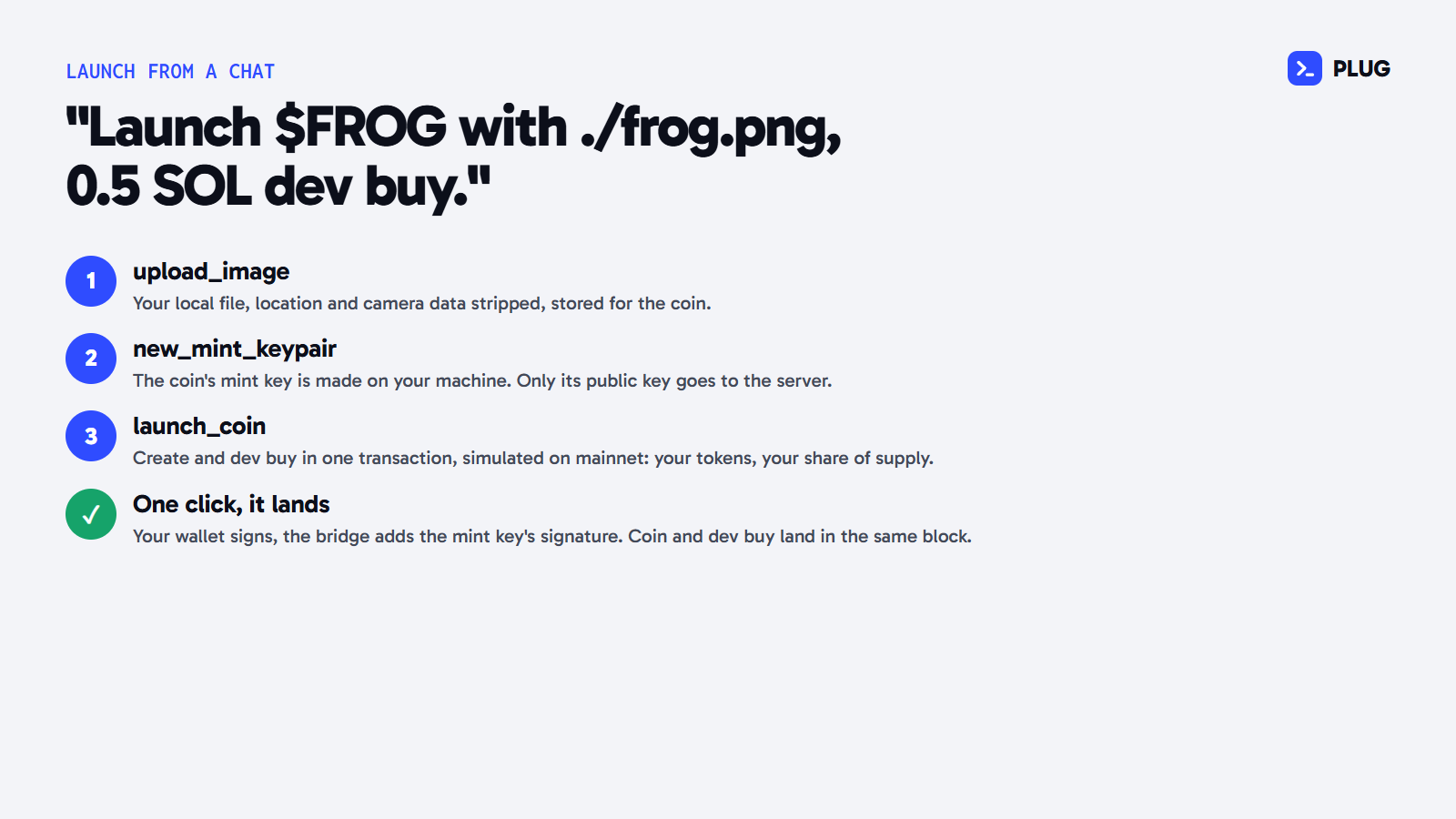
new_mint_keypair makes the coin's mint key on your machine (optionally grinding a vanity suffix) and keeps it in the bridge's folder; only its public key goes to the server. launch_coin builds create_v2 and the dev buy in one transaction, so the coin and your buy land in the same block, and simulates it: tokens and share of supply come straight from the simulated account. Solana's packet limit is 1,232 bytes; with a long name and link the two compute-budget instructions are dropped so it still fits.
The metadata JSON (name, ticker, image, description, links) is stored content-addressed: its link is a hash of the JSON, so the preview can show the exact link before anything is written, and nothing is written until a launch is confirmed. Images uploaded with upload_image are stripped of location, camera and editor metadata before storage, and an hourly job deletes any upload no launch ended up using. set_fee_split then splits the creator fees between up to 10 wallets with pump's own fee-sharing program.
The intel
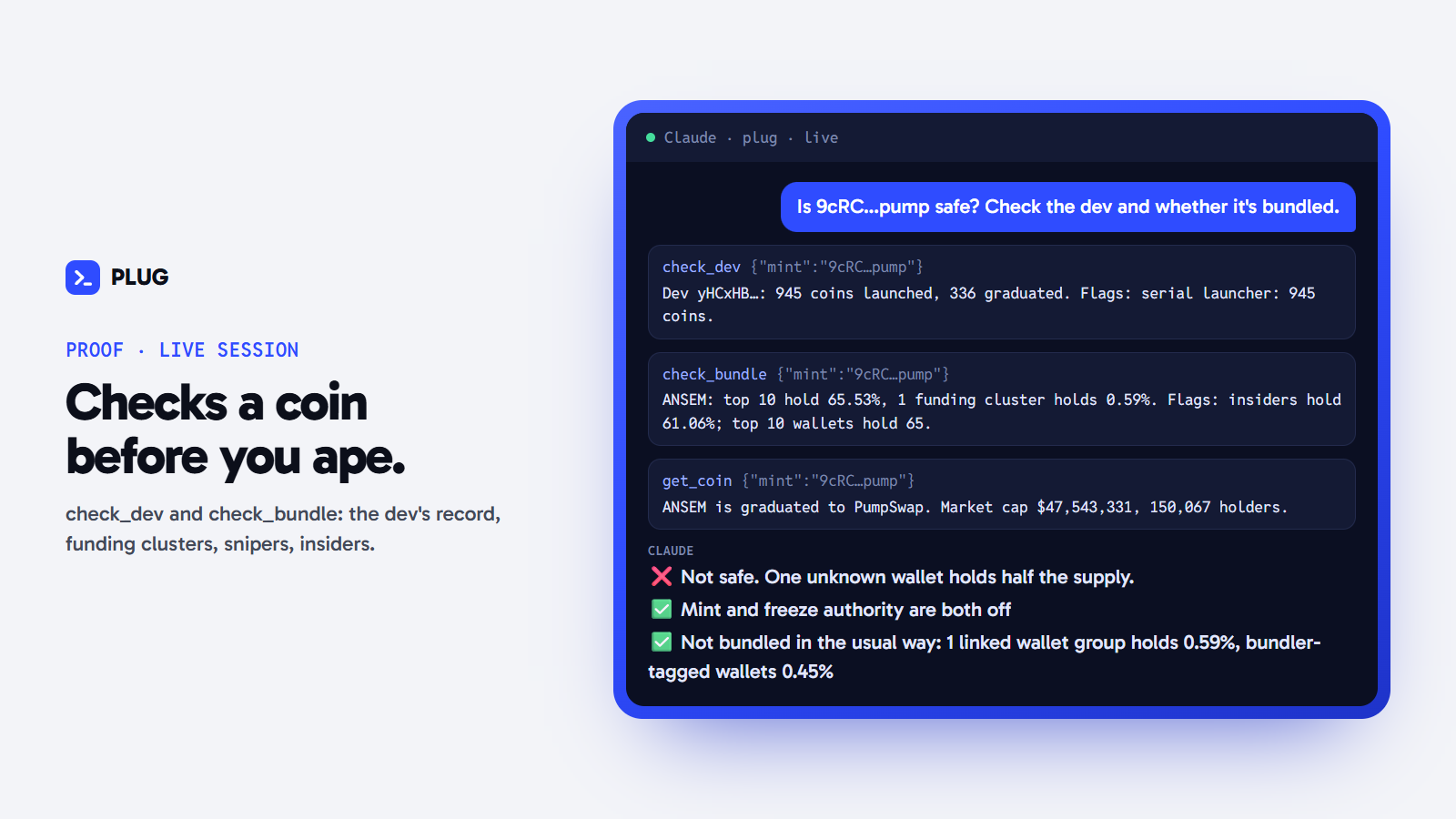
check_dev: how many coins the dev has launched and how many graduated, what they still hold, whether they sold in the recent trades, mint and freeze authority. Ends in plain flags.check_bundle: the top 100 holders grouped by the wallet that funded them. Wallets funded by the same source in one sitting are a bundle; a funder sitting on thousands of SOL, or one whose wallets were funded more than a day apart, is counted as a common source (an exchange), not a bundle. Plus sniper and insider tags, and for young coins what the first-30-second buyers still hold.trade_flow: the latest trades rolled up: buy against sell volume, net flow, the biggest buyers and sellers, tagged wallets, MEV.graduation_board,search_coins,candles,watch_coin: the board, search, OHLC from one minute to one day, and a watch that returns the moment a price, cap or curve level is hit.
PnL
pnl reads a wallet's parsed swaps over the window you ask for. Each transaction becomes one trade: the wallet's SOL change (wrapped SOL counted as SOL) against the single coin it gained or lost. Per coin it sums SOL in and SOL out and values what's still held at the current price. Multi-leg routes are left out rather than guessed.
Rails
- Spend caps in your install:
PLUG_MAX_SOL(default 1 SOL per trade, ceiling 5) andPLUG_SLIPPAGE(default 10%, ceiling 25%). The server enforces them on every call. - Read-only mode (
PLUG_READ_ONLY=1): the trading tools aren't even listed to Claude. - Rate limits at the edge: 120 calls a minute per IP across every instance, plus per-instance limits on top.
Fees
Using PLUG is free. Creator fees from $PLUG go into building PLUG.